How to Check Secure Boot in Windows 10 and 11
A quick guide to checking the Secure Boot status in Windows 10 or Windows 11.
How to Check Secure Boot in Windows
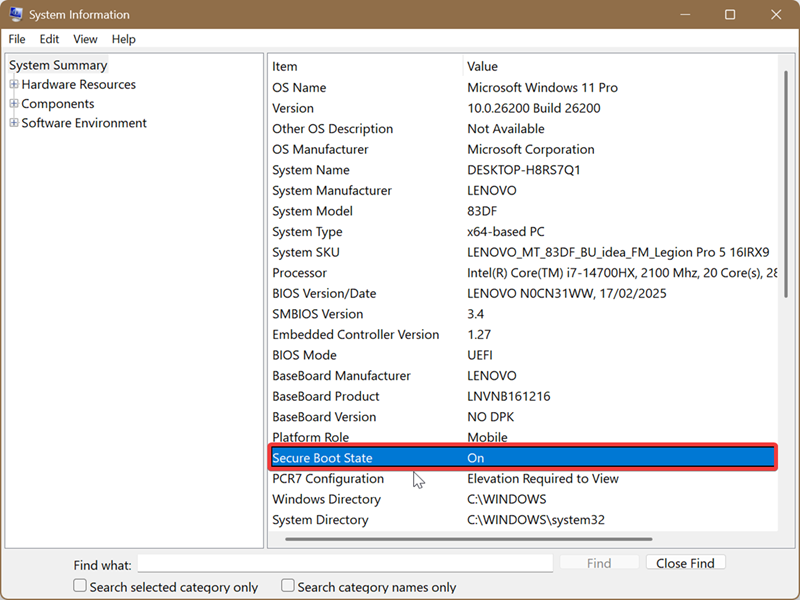
You can check the Secure Boot status through the built-in System Information tool.
Quick method
- Press
Win + R. - Type
msinfo32. - Press
Enter. - Find the Secure Boot State line.
What the result means
- On means Secure Boot is enabled.
- Off means Secure Boot is disabled.
- Unsupported means the feature is unavailable with the current configuration or is not supported by the computer.
If Secure Boot is disabled, it can be enabled through the BIOS or UEFI settings. The location of this option depends on your motherboard or laptop manufacturer.